
Shopify Analytics Built for Real Store Data, Not Guesswork
Real-time revenue and order KPIs, automatic RFM customer segmentation, and no-code reporting — synced directly from your Shopify store.
Shopify Admin tells you what happened. SnapDash tells you what to do about it.
Shopify's built-in reports are a good starting point, but they stop at raw numbers. Merchants who want to segment customers, build a custom dashboard, or automate a response to a sales dip end up exporting CSVs into spreadsheets every week. SnapDash replaces that entire workflow with analytics that update automatically from your real store data.
- Real-time KPIs with period-over-period comparisons
- Automatic RFM customer segmentation
- No-code dashboards and reports
- Free during public launch, no credit card required
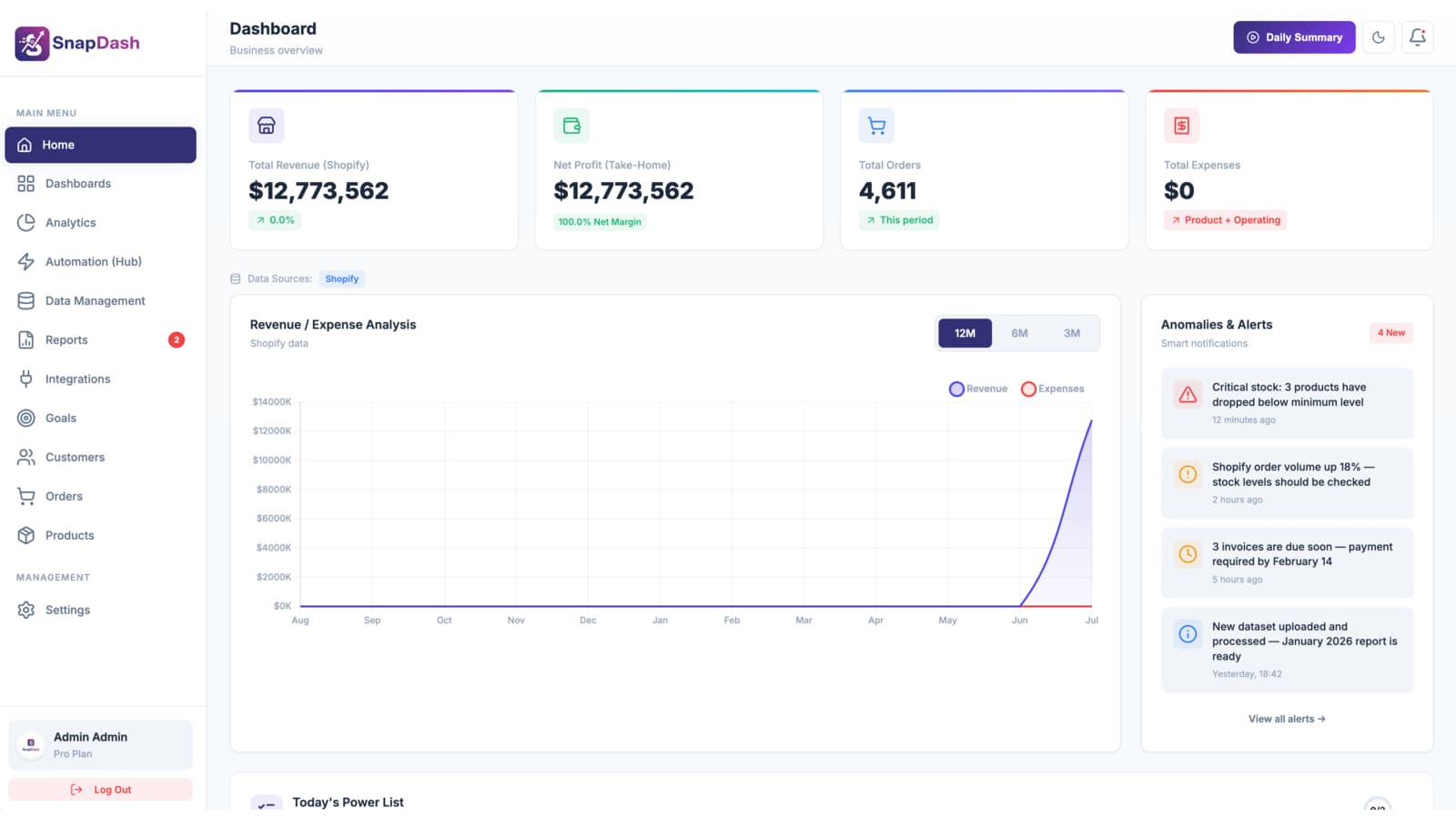
Six pillars of Shopify analytics in one platform
Every pillar below runs on your real, live Shopify data — not sample data or delayed exports.
Real-Time Revenue & Order Analytics
Every KPI — revenue, orders, average order value, net metrics — is calculated straight from your live Shopify order data, with 30-day period-over-period comparisons so you can see whether you're trending up or down.
Automatic Customer Analytics (RFM)
SnapDash scores every customer on Recency, Frequency, and Monetary value and groups them into Champions, Loyal, At Risk, Lost, and Hibernating segments automatically — no manual spreadsheet scoring.
Custom Dashboards
Start from four prebuilt dashboards — Products, Financial, Marketing, and Inventory — or drag and drop your own KPI, chart, and table widgets into a layout built around how your team actually works.
No-Code Report Builder
Choose from 14 ready-made templates across Sales, Products, Inventory, Customers, and Financial categories, or build a custom report across 24 fields with filters, grouping, and aggregation.
Trigger-Based Automation
Turn analytics into action with 9 real-time triggers — new orders, low stock, sales spikes — paired with actions like email alerts, tagging, report delivery, or webhooks.
Goals, Cohorts & Retention
Track revenue, new-customer, and repeat-purchase OKRs with progress calculated live from your sales data, plus cohort retention analysis to see how well you keep customers coming back.
From Shopify connection to insight in minutes
Connect your Shopify store
Authorize SnapDash through Shopify's official Admin API in one click. Your historical orders, products, and customers import automatically.
Your analytics build themselves
RFM segments, KPI cards, and four prebuilt dashboards are calculated the moment your data syncs — no configuration required.
Report, automate, and grow
Build the reports your team needs, set up automation rules, and track goals — all from data that refreshes automatically every hour.
Who uses SnapDash's Shopify analytics
Replacing weekly spreadsheet exports
If your team still exports Shopify Admin data into Excel every Monday, SnapDash's dashboards and scheduled reports remove that manual step entirely.
Finding at-risk customers before they churn
Automatic RFM segmentation flags customers moving from Loyal to At Risk, so you can act on retention before the sale is lost.
Giving every team a dashboard that fits them
Marketing, finance, and inventory teams can each build a dashboard scoped to the KPIs they actually own, instead of sharing one generic report.
Proving progress against revenue goals
Set a quarterly revenue or repeat-purchase target and watch progress update automatically from real order data — no manual check-ins needed.
SnapDash is built exclusively for Shopify, so it understands your store's data model natively — orders, line items, refunds, fulfillments, and customers — instead of treating Shopify as just another generic data source.
No. Connecting your store takes one click via Shopify's Admin API, and dashboards, RFM segments, and report templates are ready automatically. The report builder and dashboard editor are both fully no-code.
SnapDash automatically re-syncs your orders, products, and customers every hour, and you can trigger a manual sync at any time from the Integrations page.
Yes. Any report can be exported to CSV or Excel, and you can generate polished PDF reports in either an Executive Summary or Detailed Data format.
SnapDash is completely free during our public launch — every feature, unlimited team members, no credit card required to get started.
SnapDash is built exclusively for Shopify to keep the integration deep and native. If you need to bring in data from another source, SnapDash also includes a direct SQL connector for external MySQL, PostgreSQL, or SQL Server databases.
Explore the rest of SnapDash
Every part of SnapDash connects to the rest — see how each piece fits together.